Thursday, May 21, 2020

How the Medium Partner Program Can Make You Rich (Slowly)

Some writers are earning thousands in passive income every month with the Medium Partner Program.

Why not you too?

Whether you’re looking to write full-time, or you just want an extra writing gig on the side, this post will teach you everything you need to get started with the Medium Partner Program.

Let’s get started with a quick overview…

What is Medium?

Launched in 2012 by Ev Williams, co-founder of Twitter and Blogger, Medium is an ad-free blogging and publishing platform — open and free to anyone (provided you follow the rules).

medium partner program medium home page

If Twitter is fast food eaten in your car, then Medium is a slow meal enjoyed at a table full of scientists, business leaders, poets, and social commentators.

Do you need to be some high-falutin expert to publish on Medium?

Not at all.

But you will need to bring your “A” game.

How Medium Works

Non-members are limited to reading 3 free stories each month. The rest fall behind a paywall.

To read more Medium stories, the subscription fee is $5 per month or $50 per year, giving you unlimited access and a few other perks.

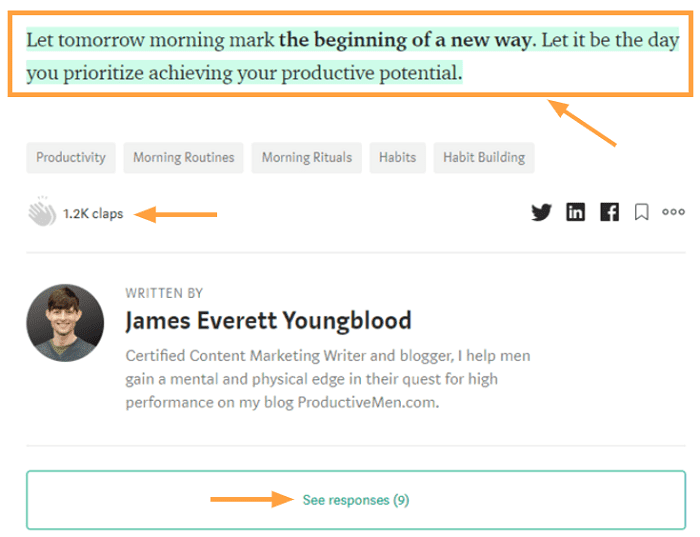
Readers engage with articles by:

  • Highlighting passages
  • Clapping (similar to likes)
  • Commenting

medium partner program claps highlights comments

Writing On Medium

Medium’s clean interface is a writer’s dream.

Its simple design minimizes distractions and keeps you focused on writing.
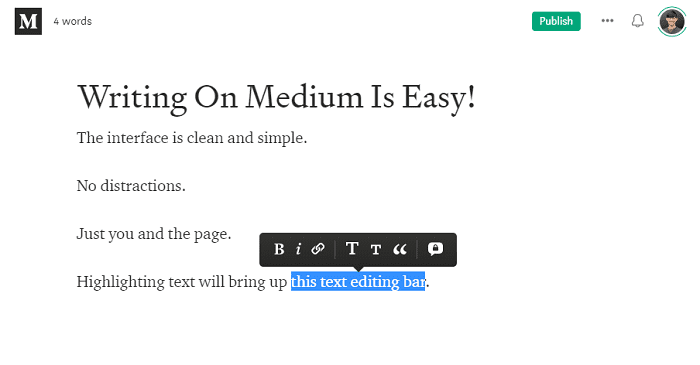
medium partner program medium text editor

And it’s super easy to insert and format images.

Medium allows you to browse an extensive library of free Unsplash images right there on the page (attribution is automatically placed in a caption below).

medium partner program add image flower

Want to add a great quote?

You have two options: block or pull-quotes.
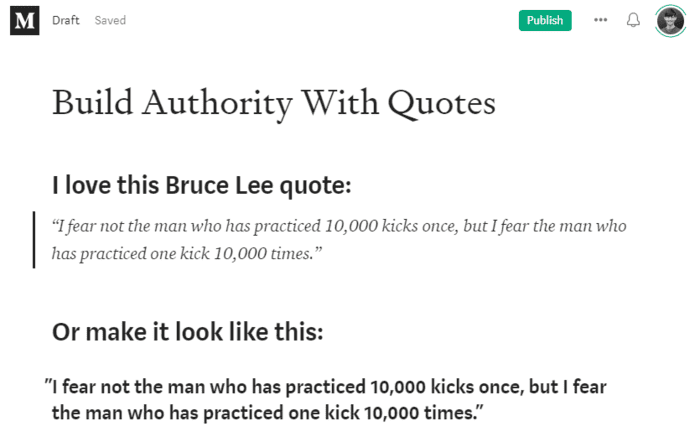
medium partner program medium insert quote

Or you can embed a podcast, YouTube clip, or tweet.
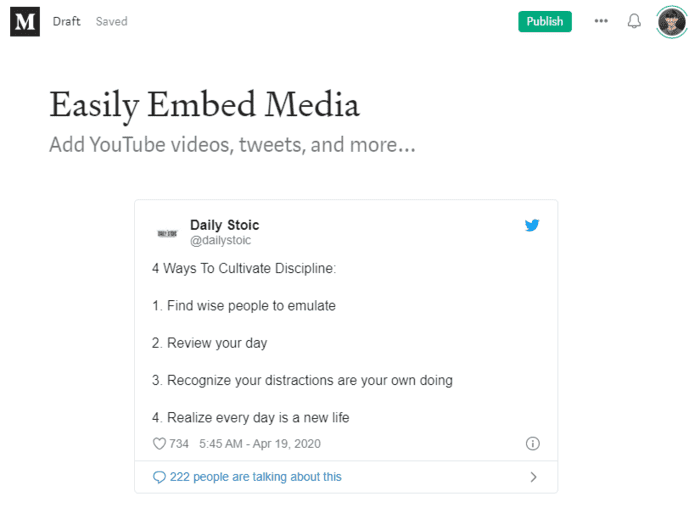
medium partner program medium emded tweet

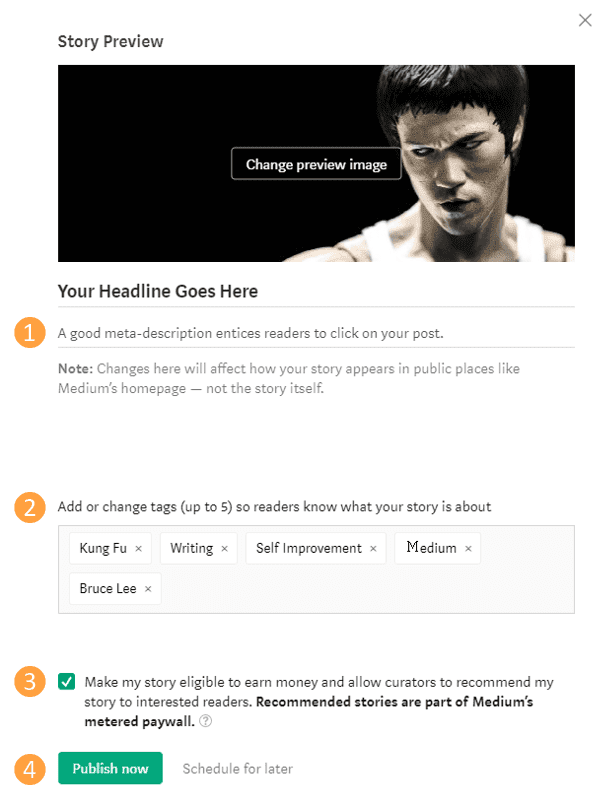
And when your post is all shiny and ready for the world?

  1. Add a meta-description
  2. Include 5 topic tags
  3. Let Medium know you want to get paid for your work
  4. Hit publish!

medium partner program publish a post

How Do You Make Money with Medium?

You make money writing on Medium through Medium’s Partner Program.

It’s free to join, and the process is straightforward (details below).

Then it’s time to write (a lot).

That’s because you make money based on how much time paying Medium members spend reading your articles each month.

You won’t make any direct income from non-members unless they become paying members within 30 days of reading your work.

According to Medium’s blog, “If last month a member spent 10% of their monthly reading time on your story, you will receive 10% of their share.”

Earnings are deposited via Stripe into your bank account around the 8th of each month, and you can see daily updates in your dashboard.

How Much Does Medium Pay Per Clap?

Medium moved away from factoring claps into writer’s payouts in October of 2019.

Instead, they decided that reading time is a better measure of reader engagement and appreciation.

However, claps are stats that do factor into how well your story ranks, which gives your article more opportunities to be read (and for you to get paid).

How Much Can You Earn From Medium?

In 2019, Medium paid more than $6 million to over 30,000 writers.

Wow!

According to their September 2019 update, a top writer earned $30,638.81 that month.

And in November 2019, a single story earned $7,384.22.

That’s a lot of dough, right?

But now for the buzzkill…

The vast majority of Medium writers make less than $100 per month. In fact, only 7% to 9% of writers earn more than that.

Ouch.

That’s because your results will depend on factors like skill, commitment, existing assets (email list, social media following), timing, and, yes, luck.

But don’t despair — making money on Medium is doable for real people like you and me:

After months of hard work, freelance writer Zita Fontaine started earning over $1,000 monthly in November of 2019.

Megan Holstein made over $10K last year — breaking the $1K mark in December 2019.

Shaunta Grimes, author of Viral Nation, reported earning over $1,000 per week.

Brian Rowe, editor of The Partnered Pen, hit the $1K monthly mark last year.

If they did it, so can you.

How Do You Join the Medium Partner Program?

It’s simple.

I’ll walk you through all the steps to sign up for:

  1. A Medium account (super easy)
  2. The Medium Partner Program (a little more involved)

Although you do need a Medium account, you’re not required to have a Medium membership (with the monthly/annual membership fee) to sign up (although it’s nice to give back to other writers on the platform, if you can swing it).

Set Up Your Medium Account

Creating your free Medium account only takes a few minutes:

  1. Go to Medium’s homepage (medium.com) and click “Get started.”

medium partner program get started with medium

  1. Log in using Facebook, Google, or another email address.

medium partner program join medium

  1. Go to your inbox and click the link to confirm your email.

medium partner program medium link confirm

  1. Complete your account setup by entering your name (pen names are allowed), and click “Create account.”
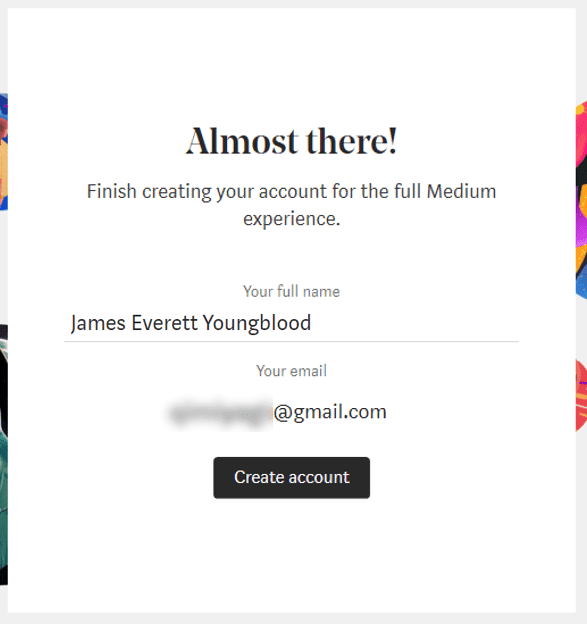
medium partner program medium almost there

That’s all there is to it!

Now you can sign up for the partner program…

Join The Medium Partner Program

Joining Medium’s Partner Program requires a few more steps (and more information), but it’s nothing you can’t handle. Here’s what you do:

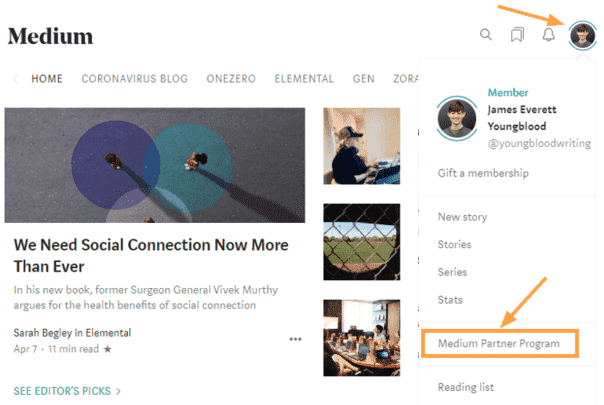
  1. Click on the profile image icon in the upper right corner of your screen, and click “Medium Partner Program” in the drop-down menu.
medium partner program dropdown menu

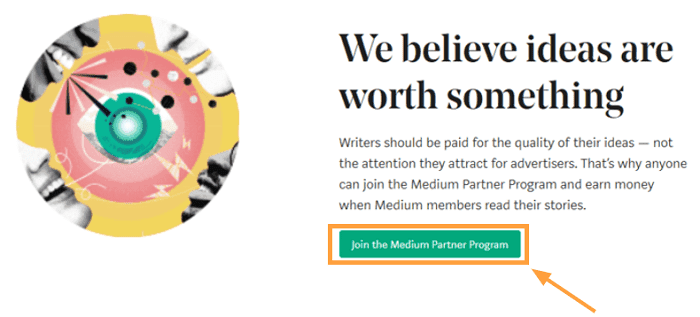
  1. You’ll be taken to a page promoting the partner program. Click “Join the Medium Partner Program” when you’re ready.
medium partner program join partner program

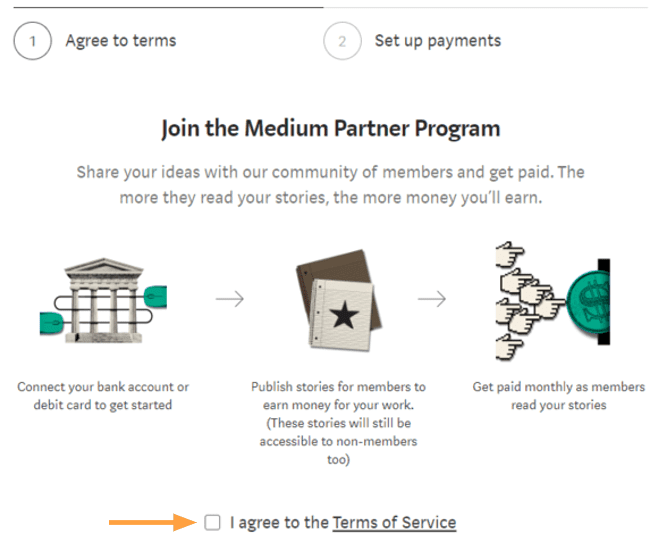
  1. You’ll then be asked to agree to the terms of service. Give them a quick read and then check the box.
medium partner program terms of service

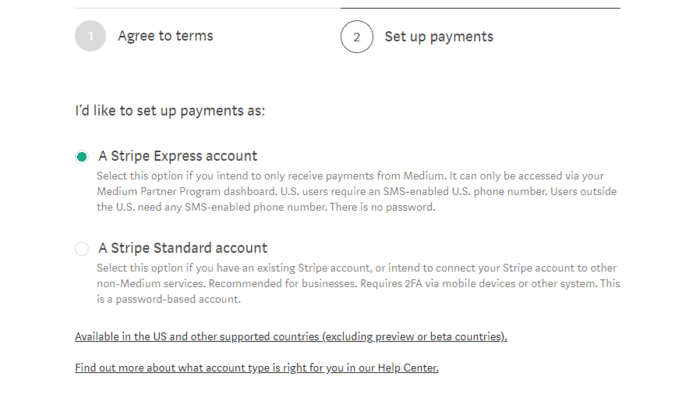
  1. Next you’ll be asked to select either the Stripe Express or Stripe Standard account.
medium partner program stripe express

Note: If your country isn’t served by Stripe, you won’t be able to get paid through the partner program.

If you don’t have a Stripe account, you can sign up for an Express account through Medium.

Be ready to provide them with details like:

  • Legal name
  • Business address
  • Business phone number
  • Type of business: Individual, sole proprietor, or single-membership LLC
  • Business website
  • Routing number
  • Bank account number

Also, you should know that if you set up a Stripe Express account through Medium, you won’t be able to connect that Stripe account to any other services. If you plan on using Stripe for other facets of your business, it probably makes sense to set up a Standard account instead.

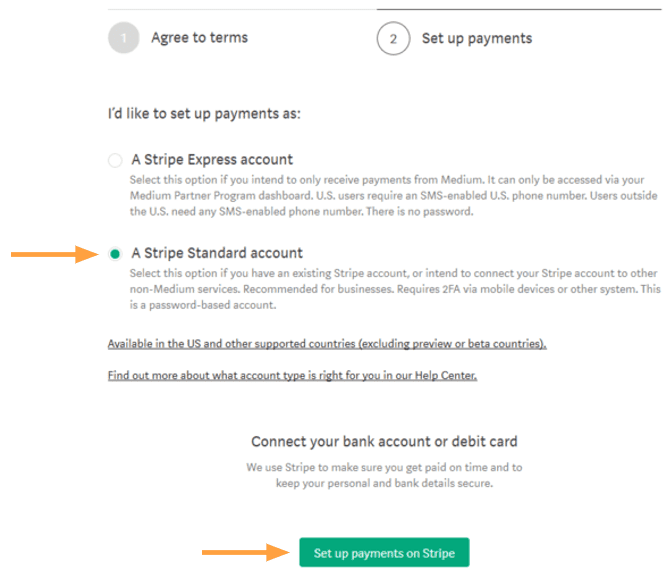
  1. If you already have a Stripe account, select “Stripe Standard account,” and then click “Set up payments on Stripe.”
medium partner program stripe standard account

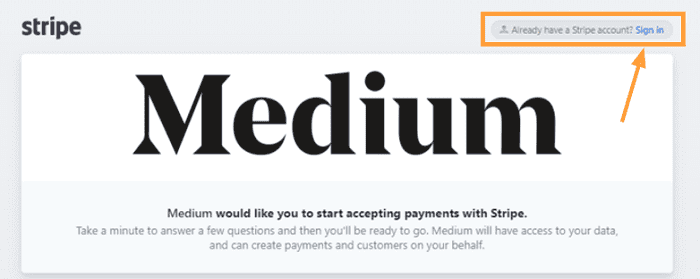
  1. You’ll be taken to the page shown below. Click “Sign in” in the upper right corner.
medium partner program medium stripe sign in

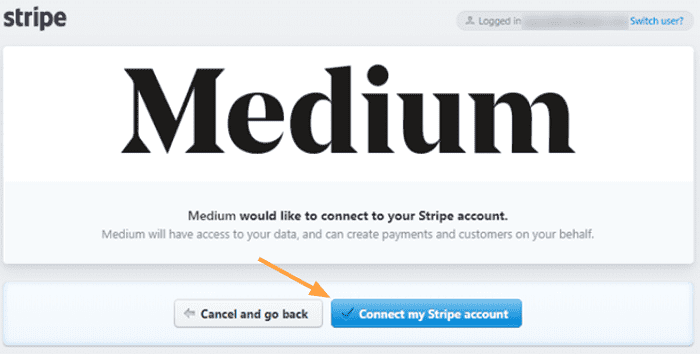
  1. Two buttons will appear. Click on “Connect my Stripe account.”
medium partner program connect stripe

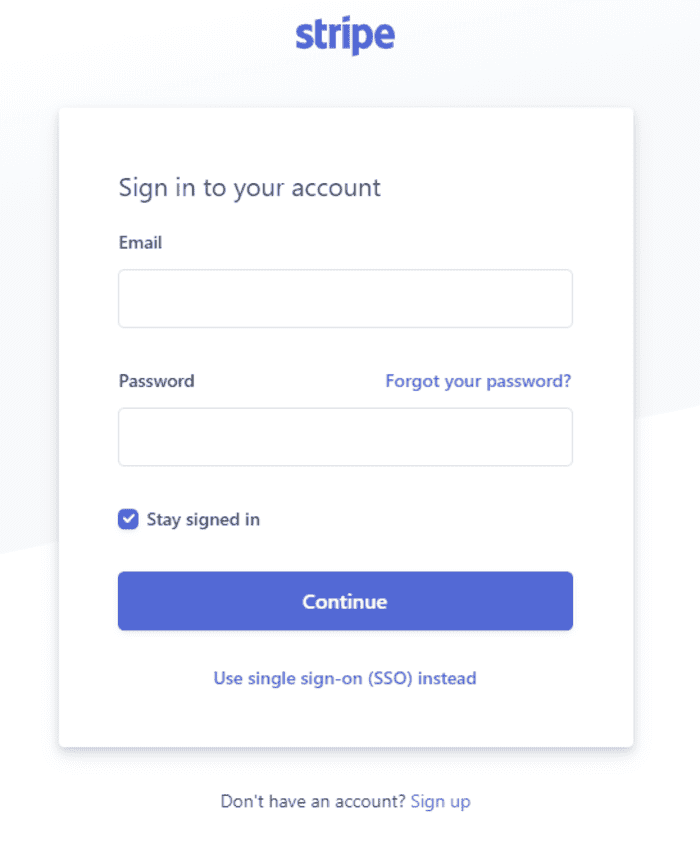
  1. Then sign into your account.

medium partner program stripe sign in

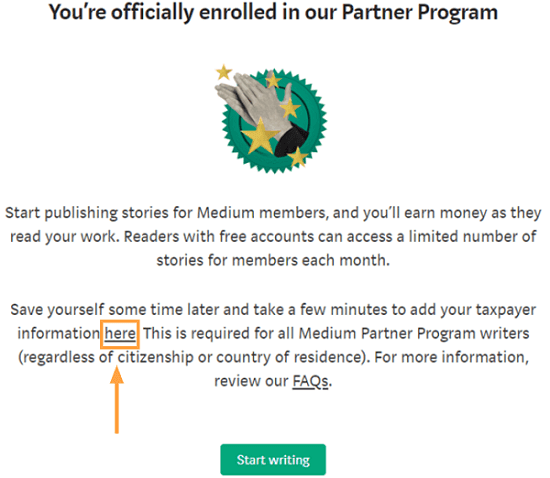
  1. Congratulations! You’re on a roll. Why not take care of some tax documentation while you’re at it?
medium partner program enrollment confirm

You don’t have to enter your tax info now, but you need to fill it out to get paid.

Fill Out Tax Forms (So You Can Get Paid)

Want to get this tax stuff out of the way?

Great.

Keep in mind, your tax forms may differ from those shown here:

  1. If you’re not already on the Taxpayer information page, go here to enter your info.
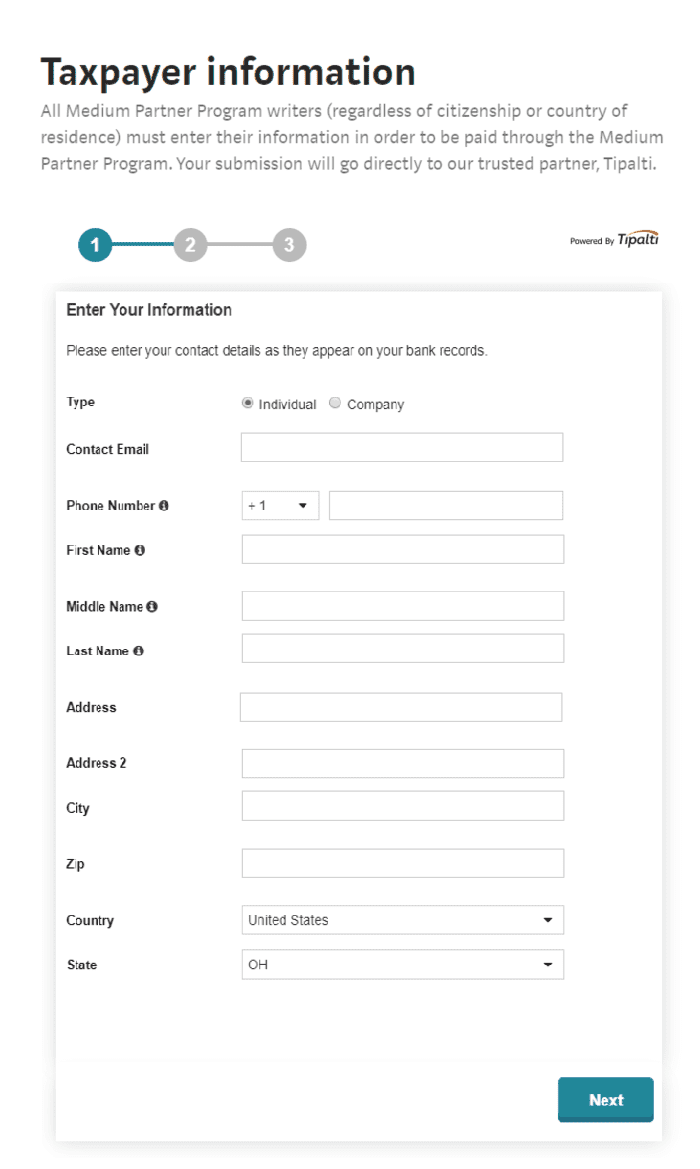
medium partner program taxpayer info

  1. Choose the appropriate tax form and click “Complete Form.” This page will help you decide which to choose.

Note: Most US Citizens will use a W9 (confirm with your accountant). The W-8BEN and W-8BEN-E forms are for non-resident aliens.
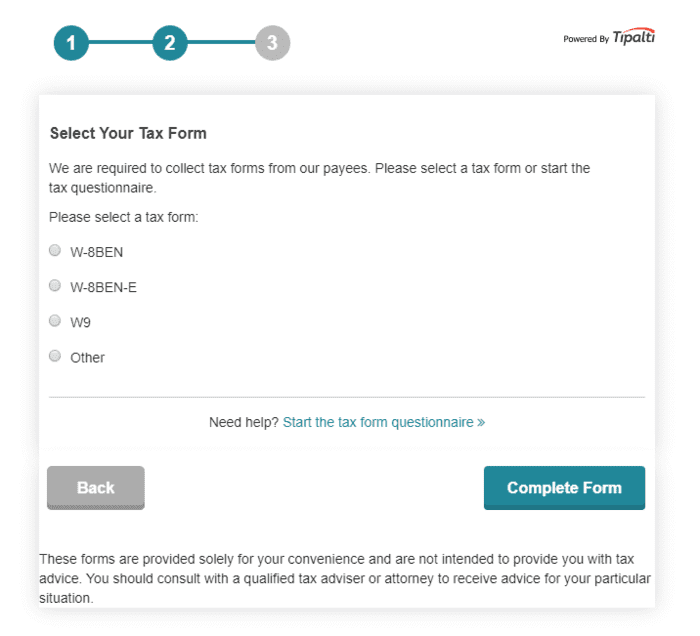
medium partner program select tax form

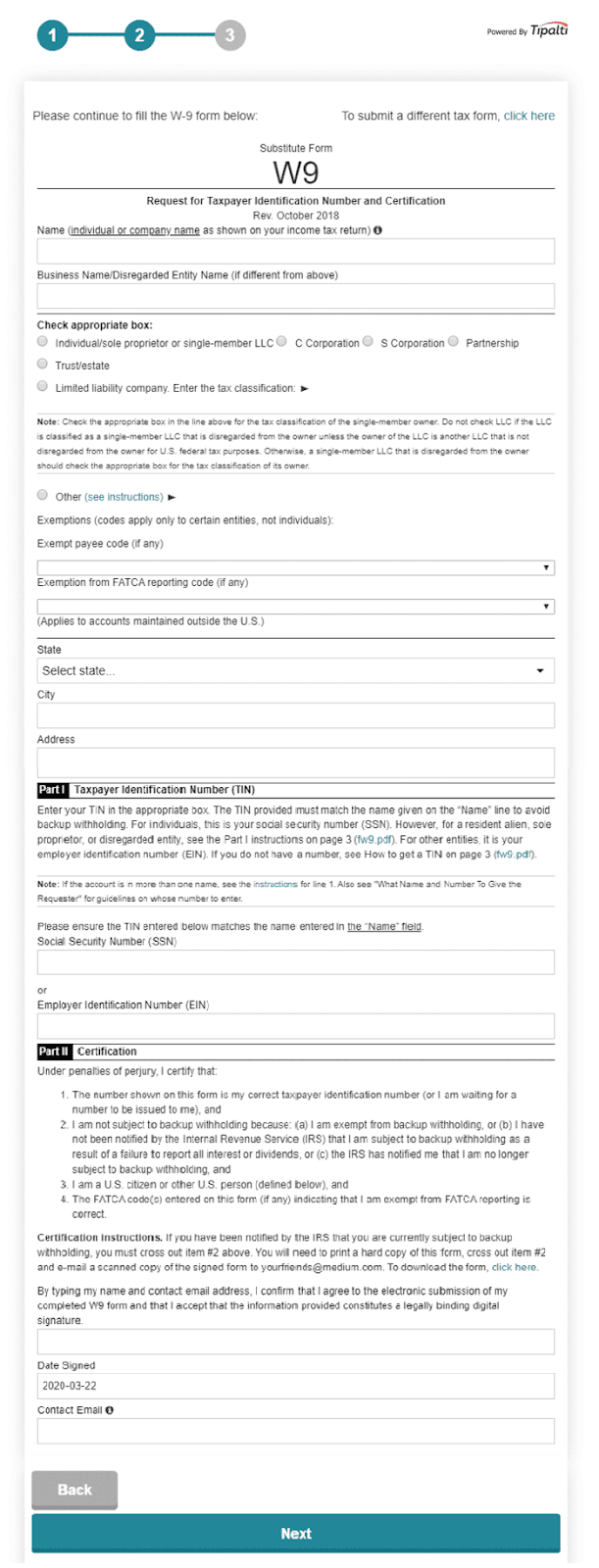
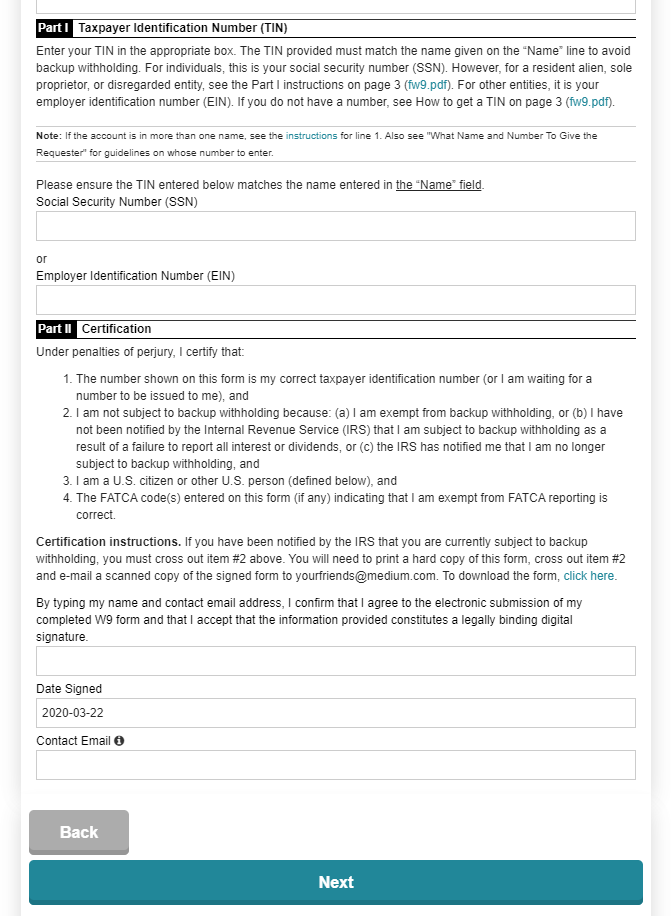
  1. This is the W9 form:

medium partner program taxpayer w9

13

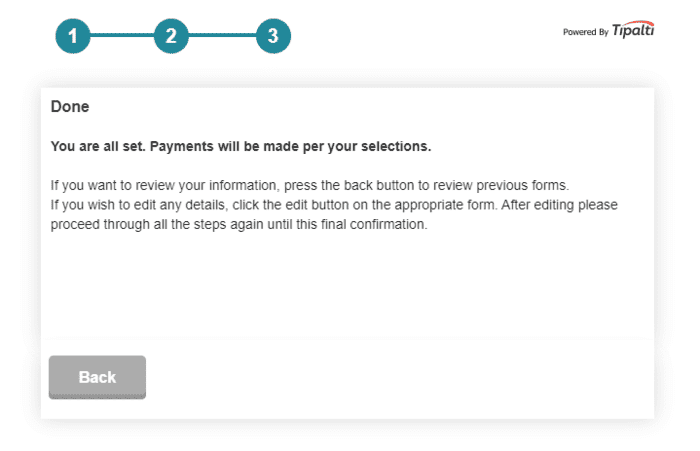
  1. And that’s it!

medium partner program taxpayer info done

Remember, you forfeit earnings if you don’t submit tax info within 180 days after the Sunday of your first week earning.

Get. It. Done.

12 Tips for Earning Real Passive Income with the Medium Partner Program

You’re well on your way to earning your first buck on Medium.

But, if you want to make real cash, you must learn how to make the partner program work for you.

Let’s look at some strategies other writers are leveraging to succeed:

1. Write your best content

Success on Medium requires your best work.

Content should be informative, original, engaging, well thought out, and free of typos and grammatical errors.

It should be aesthetically pleasing, with great images and good formatting.

Never plagiarize, and always give credit and links where appropriate. And make sure you deliver on the promise of your headline.

2. Craft great headlines

Do yourself a favor and write at least a dozen headlines for every post.

Good headlines get clicks. And clicks lead to reads (and pay).

Great headlines should:

  • Generate curiosity (don’t go “full clickbait,” Medium doesn’t like it)
  • Elicit emotion
  • Leverage number psychology
  • Contain power words
  • Demonstrate a clear benefit to the reader
  • Feature a keyword (especially if you’re trying to rank in search engines)
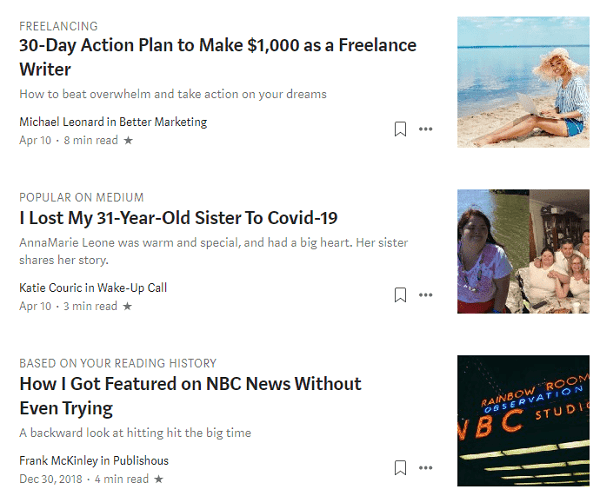
medium partner program headline tip

3. Produce consistently and prolifically

According to an analysis conducted by The Startup, writers who earned the most were consistent publishers.

Why?

Because, as your audience grows and your content is increasingly found, read, and shared, your earnings compound over time.
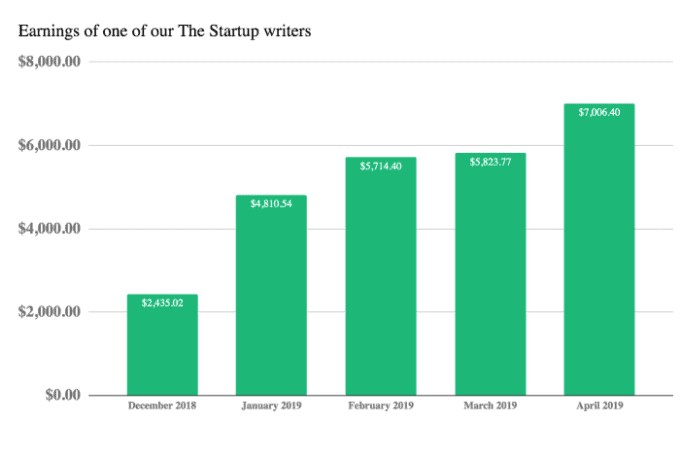
medium partner program compounding earnings tip

Some of the most successful earners post multiple times per week, and have been doing so for months or years.

By writing more, you will:

  • Build skills
  • Increase your chances of writing a winner
  • Gain clarity about what works

Quality always trumps quantity, so don’t publish half-baked material just so you can stick to a schedule.

4. Please Medium’s curators

If you meet Medium’s curation standards, there’s a chance the Medium editors will promote your content across their platform (including their email list), giving your story tons of exposure.

Medium recently suggested these articles in my inbox:
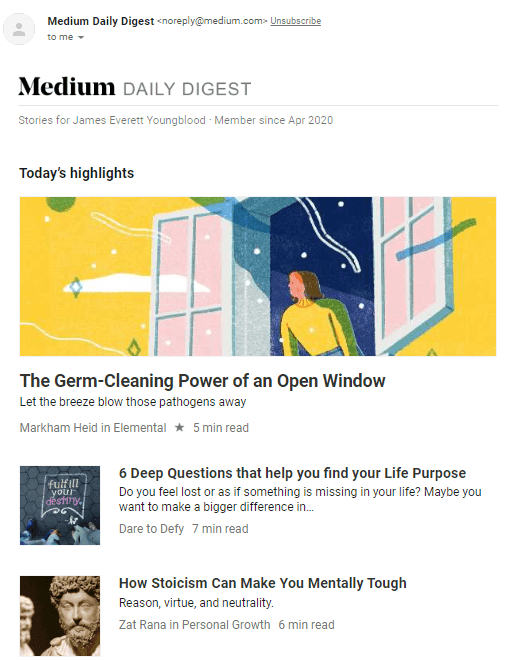
medium partner program medium daily email example

Articles deemed exceptional are featured on Medium’s front page (cha-ching!).

Even if you don’t get curated (often you won’t), your post will still be eligible for earning through the partner program. You just won’t get nearly as much traffic.

5. Optimize for search engines

Medium has millions of readers.

That doesn’t guarantee your post will get the attention it deserves. And having your posts rank well in search engines will drive tons of views (and more income).

This strategy requires keyword research and a basic understanding of SEO principles.

Make sure your post includes:

  • A great headline that includes the keyword
  • Alt-tags for images
  • Proper header tags: H1, H2, H3
  • Custom URL
  • Customized meta description

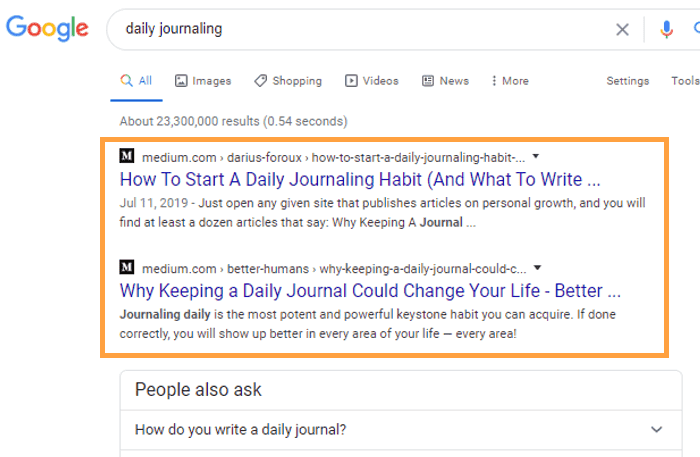
medium partner program seo daily tip

6. Engage the community

Medium is a place for people to gather around ideas.

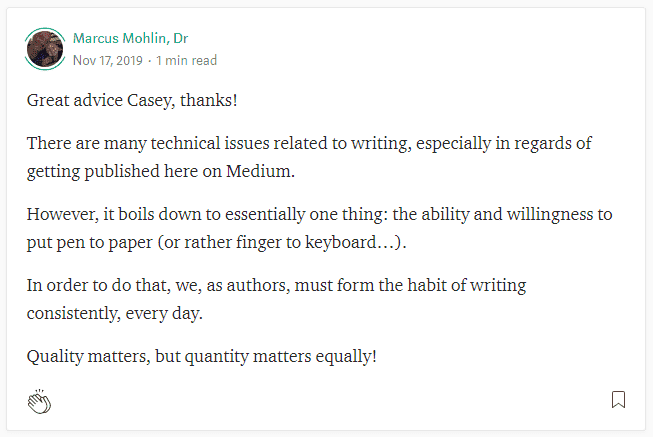
From the beginning, you should build relationships by leaving thoughtful comments on other writer’s stories.
medium partner program engage tip

Follow writers you like.

Mention and link to them in your articles when appropriate.

And if someone takes the time to leave a legitimate comment on your post, make sure you reply.

7. Leverage your connections

Give your Medium articles a boost by sharing them with your email list, in Facebook groups, LinkedIn, Reddit, Twitter, and on other social media platforms.

medium partner program linkedin social share

But remember, the connection goes both ways.

Connect your social accounts to Medium to gain new followers. Link out to your blog in your Medium bio.

And don’t forget to link to your Medium posts from other articles you write, either on Medium or other places (like your blog).

8. Publish with publications

Medium’s top publications are followed by hundreds of thousands of readers.

Writing for them can dramatically increase your reach.

And there are thousands of publications on a wide range of topics that you can submit your work to.

To submit your work, go to their Medium page and click on “Write For Us” or “Contribute.”

medium partner program publication submission

9. Go long, but no fluff

According to Medium’s Data Lab, the optimal length post takes 7 minutes to read (that’s approximately 1,600 words).

medium partner program medium post length 7 min

But remember, quality always trumps length.

The more time readers spend on your posts, the more you get paid. But, just making content longer isn’t enough. If you can’t hold readers’ interest past the first paragraph, it doesn’t matter how long your post is.

10. Profit from popularity

Where attention goes, money flows.

Study successful Medium writers and their stories. What’s working?

Write about popular subjects, like:

  • Tech
  • Entrepreneurship
  • News
  • Culture
  • Productivity
  • Marketing
  • Artificial Intelligence
  • Business
  • Design
  • Love
  • And many more

Popular topics have large pools of readers. And that means more exposure for your work.

The bigger the pond, the more fish you can catch.

11. Add layers of interest

Yes, write about popular topics.

But don’t be a clone.

Draw upon what you know — areas of expertise or things you have some deep interest in or connection to.

medium partner program expertise tip

What unique perspective can you bring?

Dare to be different:

  • Provide some historical context
  • Take them on a journey through your senses
  • Write about real people in real life situations
  • Be vulnerable and humanize a topic
  • Add color with personality
  • Elicit emotion
  • Go big on research and data
  • Take a contrarian stance
  • Give them a glimpse into a hidden world

12. Lead your reader

Tell readers what to do next by giving them actionable advice.

Providing them with some amazing insight or new perspective is great, but what do they do with it?

How can they go out and put it into practice today?

Have the courage to not only share ideas, but also lead with them.

The Medium Partner Program Pays

Can you make serious coin on Medium?

You know it.

It won’t happen overnight (for most of us, anyway).

But that’s okay!

Every piece of content you write is an asset — an investment that will compound your earnings over time. That means your articles will keep working for you, even while you’re out there hustling for other paid writing gigs!

And that’s really the key here.

Plan on writing a lot over a significant period of time. Plan on learning and pivoting. And always plan on failing along your path to success.

Why not start that first article today?

Happy writing!

The post How the Medium Partner Program Can Make You Rich (Slowly) appeared first on Smart Blogger.


from
https://smartblogger.com/medium-partner-program/

Tuesday, May 19, 2020

WordPress Hosting: A Brutally Honest Guide (to Save You $)

This is painful to say, but…

Most of what’s published out there about WordPress hosting is total crap.

Not just incomplete information. Not just half-truths.

I’m talking outright lies and boldfaced scams.

You can’t even get straightforward answers to basic questions like…

It’s infuriating, but listen…

I make money blogging because I have built and run some of the most popular blogs in the world, scaling them from nothing to millions of visitors per month. During that process, I learned a lot of valuable lessons — often the hard way — about what makes a good WordPress host.

And today, I’m publishing the guide I wish somebody had given me.

It’s brutally honest. It’s full of technical details (that I do my best to explain). It’ll also save you tons of time and money.

The Different Levels of WordPress Hosting Plans

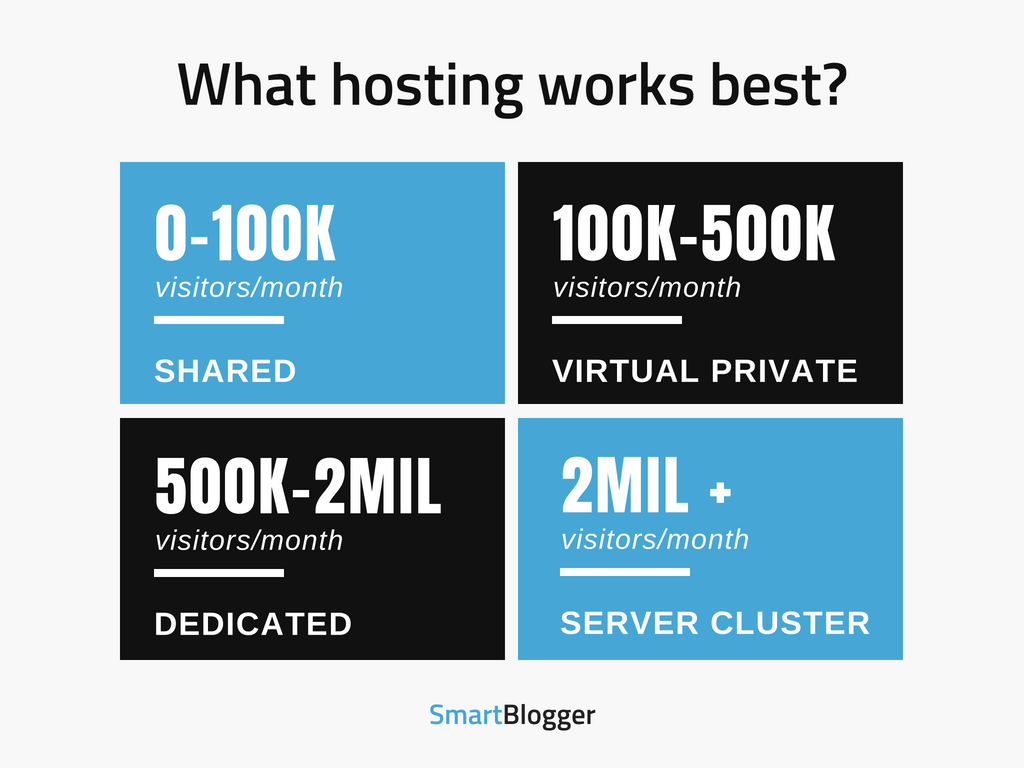
To start, here’s an infographic explaining the typical path most bloggers take:

What hosting works best?

They start with a shared hosting plan, and then they grow to a Virtual Private Server, and then they grow to a Dedicated Server.

Wondering how that applies to you?

Here’s the short answer:

TLDR: The Best WordPress Hosting Right Now (In My Opinion)

If you’re under 100,000 visitors per month, don’t torture yourself by getting a VPS or dedicated server. Just grab a cheap, no-frills shared hosting account and install WordPress. Most hosting providers these days offer one-click WordPress installation, which makes the whole process a breeze.

Is it the best WordPress hosting in the world?

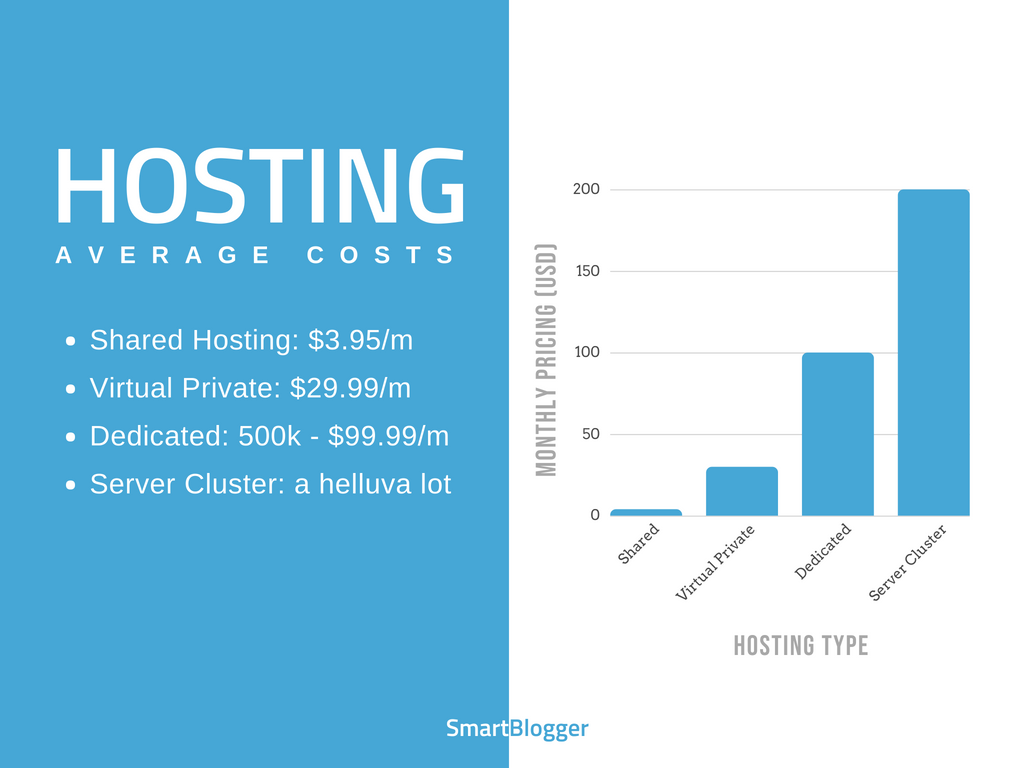
No, but it’s way better value than the alternatives. Here’s a pricing comparison:

Web Hosting Pricing Comparison

The more expensive things get, the more complicated and frustrating it gets too. You’ve never experienced misery until you try to optimize a dedicated server for the first time.

My advice?

Keep it simple and cheap. Use a shared host.

Now, that begs the question…

What’s the Most Cost-Effective Hosting for WordPress?

SiteGround

Personally, I use SiteGround (affiliate link) for all my new WordPress websites. Here’s why:

  • It’s the best balance I’ve found of quality and price. You can find cheaper hosts, but you can’t find anyone cheap that’s as good as them.
  • They are optimized for WordPress. The load times for your site will be faster there than on many hosts
  • I use them personally to host most of our sites, and both their servers and support have always been excellent.

That being said, I’ll be straight with you…

SiteGround isn’t the only great host in the world. They’re just the one I personally use and recommend to our 3+ million readers. I wouldn’t endorse them publicly without having a lot of confidence in them.

But there other good companies with a different approach.

Who Is the Best WordPress Host, Regardless of Price?

WP Engine

WP Engine (affiliate) has an impeccable reputation for flawless hosting, high performance, great uptime, and a dynamite support team. In my opinion, there’s no question they are better than SiteGround, but they are also 10X more expensive.

Is it worth it?

If you want a managed WordPress host that can take unlimited traffic, offer perks like site migration and WordPress staging, and has WordPress experts standing by to help you with pretty much anything you need (plus you’re hosting an e-commerce website with a significant budget), maybe it’s worth the extra cost.

Quite a few big blogs host with them, and they believe it’s worth every penny.

WP Engine in Austin, TX

I’ve also been to their offices in downtown Austin and met with the executive team. It’s a solid company that’ll be around for years to come.

The bottom line:

If you want to skip the rest of this post and just choose a host, go with SiteGround (affiliate link) if you have a small budget and WP Engine (affiliate) if you have a large one. You won’t regret going with other company.

Before you choose any WordPress host though, here’s an important point you should understand:

Most Reviews Are Bought and Paid for

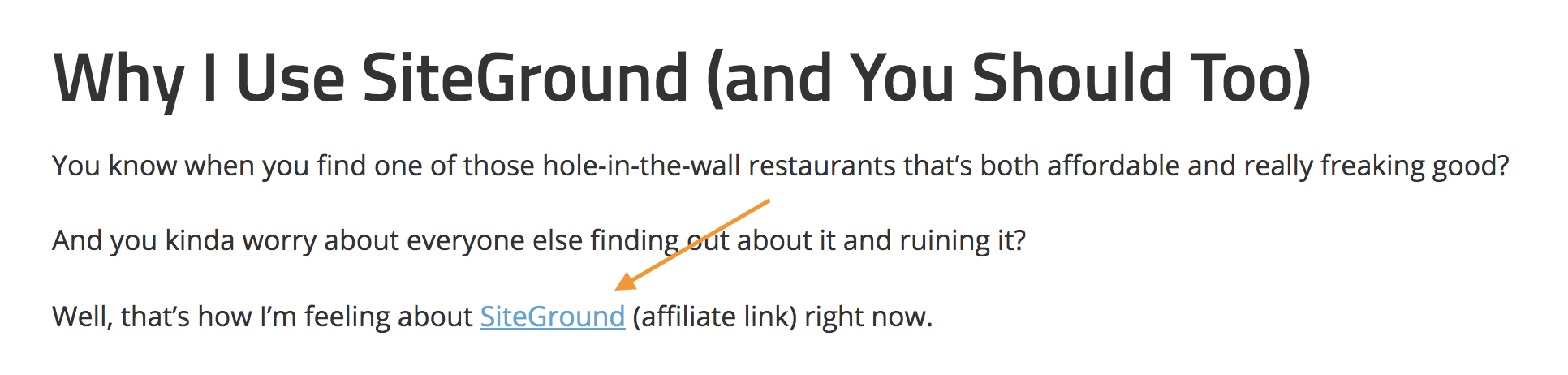
SiteGround affiliate link

Pretty much every blogger making a hosting recommendation is getting compensated by the host. And yes, that includes me.

The difference?

I’m not hiding anything. I’m proud of the partnerships I have with SiteGround (affiliate link) and WP Engine (affiliate), because I have personal experience with both companies, many of my students are customers, and they treat everyone extremely well. I would happily recommend them even if they weren’t paying me a penny.

And that’s NOT true for other bloggers.

Most don’t even use the host they are recommending. In my opinion, that’s just unethical.

Especially when it comes to one particular company…

Many Hosts are Owned by the Same Terrible Company

Do any of these sound familiar?

2slick.com
AccountSupport
A Small Orange
ApolloHosting
AptHost
Arvixe
Berry Information Systems
BigRock
BizLand
BlueDomino
BlueFur
Bluehost
BuyDomains
Cirtex Hosting
Cloud by IX
Constant Contact
Directi
Dollar2Host
Domain.com
DomainHost
Dot5Hosting
Dotster
easyCGI
eHost
EntryHost
Escalate Internet
FastDomain
FatCow
FreeYellow
Glob@t
Homestead
HostCentric
HostClear
Host Excellence
HostGator
HostMonster
HostNine
HostYourSite.com
HostV
HyperMart
IdeaHost
IMOutdoors
Impress.ly
Intuit Websites
iPage
IPOWER/iPowerWeb
IX Web Hosting
JustCloud
JustHost
LogicBoxes
MojoMarketplace
MyDomain
MyResellerHome
NetFirms
Networks Web Hosting
Nexx
PowWeb
PureHost
ReadyHosting
ResellerClub
SEOGears
SEO Hosting
Site5
SiteBuilder.com
Sitelio
Sitey
Southeast Web
Spry
StartLogic
SuperGreen Hosting
TypePad
USANetHosting
vDeck
Verio
VirtualAvenue
VPSLink
WebHost4Life
WebHosting.info
WebsiteBuilder.com
Webstrike Solutions
Webzai
World Wide Web Hosting
Xeran
YourWebHosting

Ever heard of Bluehost?

Or maybe Hostgator?

Both hosts are owned by a conglomerate called Endurance International Group (EIG). In fact, EIG runs most of the big hosting companies, and it continues to buy new ones all the time.

So what makes them so awful?

After they purchase a host, they lay off support staff, stop investing in new technology, and funnel the money into increased advertising and payouts to shareholders. Sure, they usually try to entice customers by offering perks such as free domain names or unlimited websites, but these relatively small perk aren’t worth it. In every case, the reputation of the host plummets.

Of course, you might be wondering how you find out if they own your host. Or for that matter, how do you know if your host is a good one if nearly every review is bought and paid for?

The answer:

The Best Way to Get Unbiased Reviews

Web Hosting Talk is the biggest forum on the web about hosting platforms, and it has literally millions of hosting reviews. They don’t allow affiliate links either, so you can count on the reviews to be unbiased.

Granted, every host — be it SiteGround or WPEngine, DreamHost or A2 Hosting, GoDaddy or InMotion hosting, or one of the less-than-ideal hosts mentioned above — gets a bad review now and again, but you can comb through dozens of reports to get a much better feel for the reputation of the host, as well as their strengths and weaknesses.

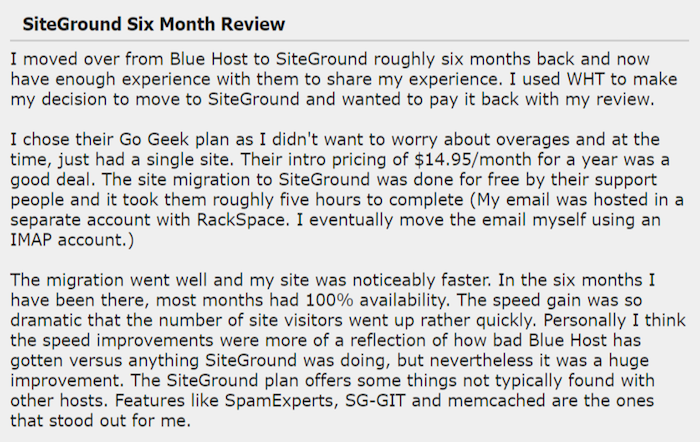
SiteGround 6-month Review

Also, here’s a little hack to save you some time…

Instead of using the search tool built into their forum, which can be a little clunky, grab the URL of the forum you want to search, and then put the following in Google:

site:URL “host name”

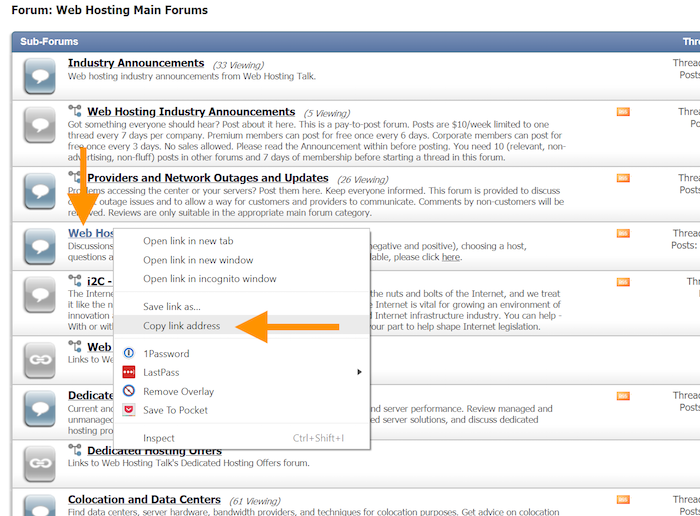
For example, if you wanted to verify the reputation of SiteGround (affiliate link), you can go to their list of forums, right click on the one that seems most appropriate, and copy the link:

From there, use the search parameter above in Google. In this case, it would be:

site:http://www.webhostingtalk.com/forumdisplay.php?f=1 “SiteGround”

And voilĂ , you have a listing of reviews you can easily look through for reliable information.

In particular, here’s the biggest factor that should influence your decision:

How to Evaluate Customer Support

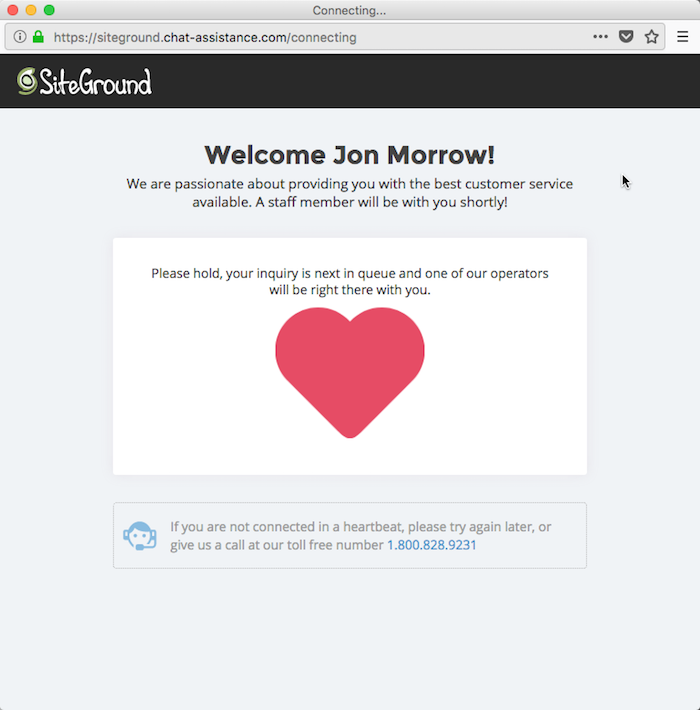
SiteGround Live Chat

Customer support. When you’re a beginner or small business, it’s more important than anything.

No surprise there, right?

But here’s the big lesson…

It’s not just about wait times or the intelligence of the technicians. It’s also about the method of support, what the host supports, and the helpdesk schedule.

For instance:

  • Do you have to submit tickets through their helpdesk and wait for a response, or can you do a live chat or phone call with a technician and actually have a conversation?
  • Do they offer WordPress support, including the most popular WordPress themes and plug-ins? It’s shocking, but unless they specifically mention it, many don’t.
  • Do they offer support 24 hours a day, seven days a week, or is it only during normal business hours?
  • Do they do daily backups?

Personally, I want a host with technicians I can interact with in real time (either through phone or chat), have a thorough knowledge of WordPress.org, and are available 24 hours a day, seven days a week. And that’s actually relatively difficult to find at an affordable price.

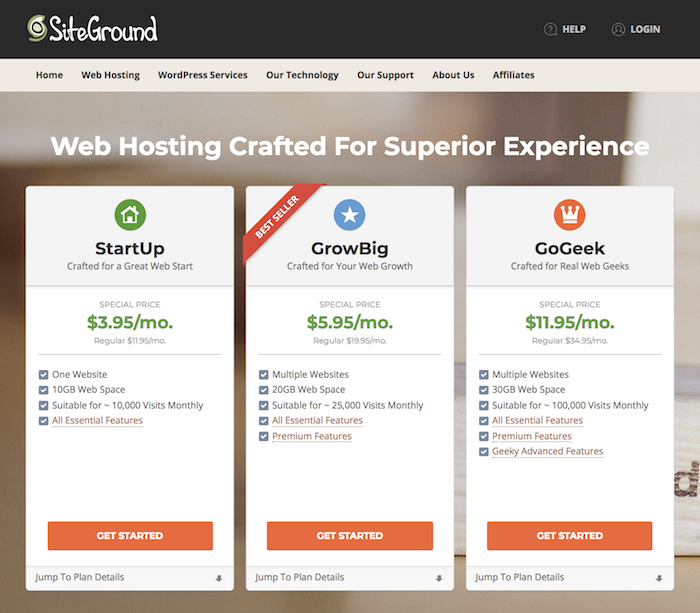
That’s why I think SiteGround (affiliate link) is the best host for most beginners. They give you all those things for an entire year for less than the cost of a dinner at a nice restaurant.

SiteGround Sales Page

And here’s what’s even cooler…

Their servers are also configured especially for WordPress. Let’s talk about that next.

The Configuration Matters More Than Tech

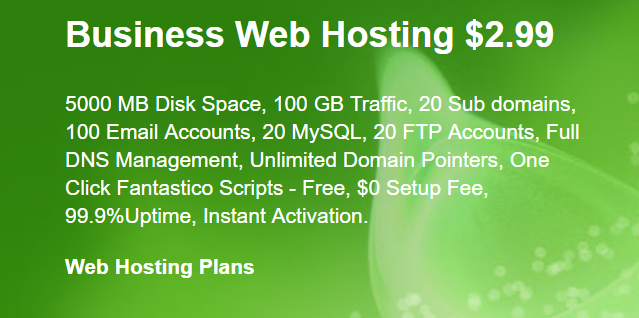
Chances are, you’ve seen a hosting package that looks something like this:

SiteGround Business Web Hosting

Almost like a foreign language, right? Disk space, RAM, page views, MySQL, cPanel (control panel), data centers, unlimited email accounts, SFTP, WooCommerce, downtime, CMS, WP-CLI, Git integration, add-ons, SSDs — what’s it all mean? And for that matter, how are you supposed to know which hosting plan is right for you?

Actually… you don’t have to. If you’re running a relatively simple WordPress site, none of those technical details matter much. You can ignore them.

Here’s proof:

In 2012, a fellow named Ewen Leith managed to get a $15 server to run a WordPress site receiving 10 million hits a day.

Granted, it was an extremely simple site using a set up that would be tough for a novice to manage, but it’s still proof the configuration of your web host matters much more than having high-end hardware or a free CDN (Content Delivery Network) like Cloudflare.

That’s another reason why I recommend SiteGround (affiliate link) – their servers are configured specifically for WordPress. Your site will be able to handle far more traffic with far fewer resources. Over the long term, it translates into significant savings, because you have to upgrade less often.

Granted, SiteGround isn’t the only host who does this. If you decide to search for someone else, here’s what to look for:

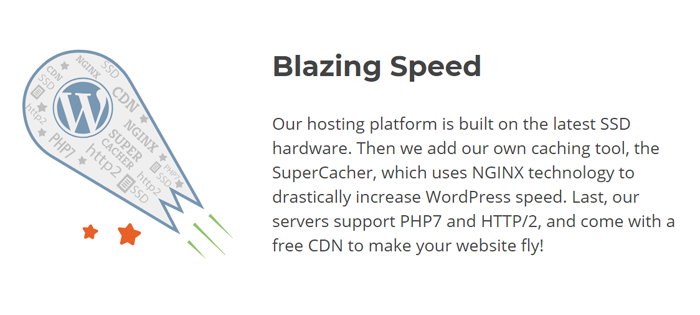
  • Litespeed or Apache NGINX
  • Database caching through Memcached
  • Support for PHP version 7 and HTTP/2

RAM, SSD storage, bandwidth — for a normal WordPress site, none of those specs really matter much. Ignore them and focus on the three above details.

But, also remember:

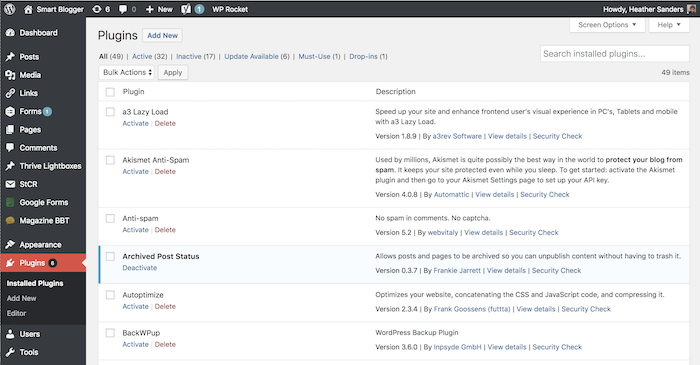
Installing Too Many Plugins Can Mess up Any WordPress Host

SmartBlogger plugins

So, you found a host that’s perfectly optimized for WordPress. Your site should be nice and zippy, right?

Actually… not necessarily.

If you install too many WordPress plugins (or even just one really bad one), you can slow down your site or even cause your host to cancel your account. It’s the most common source of problems. (Plus, an out-of-date plugin can make your site vulnerable to malware and other attacks, so the more you have, the greater your risk.)

So, how do you know which plugins to install and which ones to avoid?

The short answer: install as few as possible, and if you ever have problems with your site, the first thing you should always do is try deactivating plugins. For a detailed answer, take a look at our post on essential WordPress plug-ins.

Make Sure You Get a Free SSL Certificate

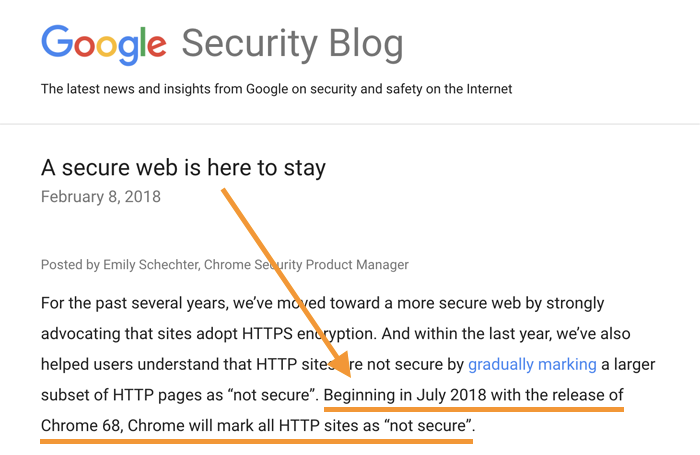
Ever since Google announced that having an SSL certificate is now a ranking factor, it’s become essential for you to have one if you’re serious about your content being seen in search engines.

What’s an SSL certificate?

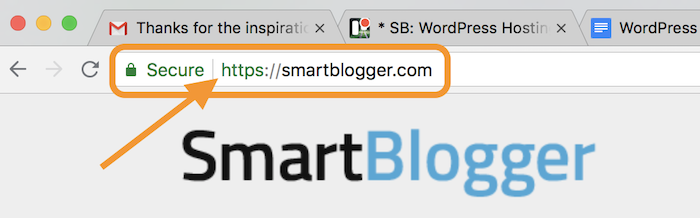
It’s an extra layer of security and reporting around the safety of your WordPress website. Any site using SSL will have the prefix “https” in the URL.

browser address bar with https

In the past, you had to pay a yearly fee to register your SSL certificate, but most of the top web hosting services are now offering one for free via services like Let’s Encrypt. You should take advantage of that savings and have your site on https from day one.

The 7 Things That Really Matter When Choosing the Best WordPress Host

By this point, I wouldn’t blame you if your head is spinning.

We’ve covered a lot of technical details in this post, so I thought I would conclude with a quick checklist to help you choose the best WordPress host for you. Here are the seven most important things to remember:

  1. Unless your site is massive, you don’t need a VPS or dedicated server. Stick with shared WordPress hosting.
  2. For the love of God, avoid any hosting company owned by EIG.
  3. When evaluating customer support, look for 24/7 live chat and/or phone support.
  4. The configuration of your web host matters more than the technical specs
  5. Go easy on the WordPress plugins. They can slow down your site.
  6. You should expect to get a free SSL certificate. Use it.
  7. If you’re tired of thinking about all this stuff, go with a managed WordPress hosting solution like SiteGround (cheap but good) or WP Engine (premium). SiteGround offers a hassle-free, 30-day money-back guarantee, and WP Engine offers 60 days for new customers.

Follow those recommendations, and you’ll save yourself tons of time, money, and headaches. I speak from experience.

Ultimately though, the decision is yours. Choose wisely, my friend.

The post WordPress Hosting: A Brutally Honest Guide (to Save You $) appeared first on Smart Blogger.


from
https://smartblogger.com/wordpress-hosting/